Overview:
The steps provided will ensure that you are logging into your Sinclair provided Zoom account.
Steps:
- Open up the Zoom desktop application from your desktop shortcut or application.
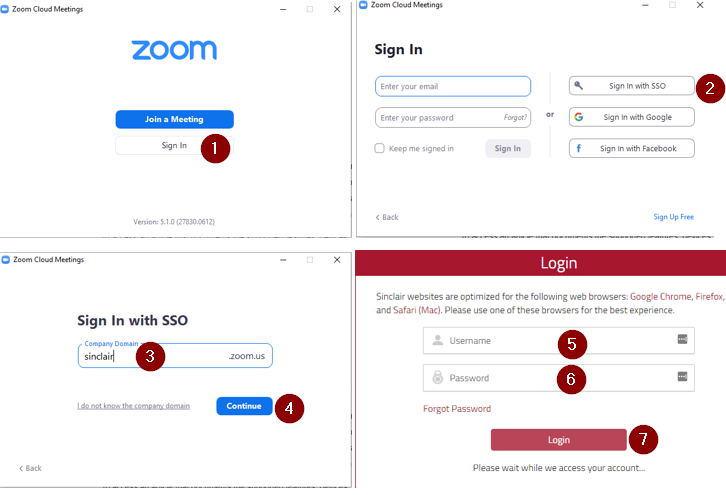
- Click the (1) Sign In button
- Click the (2) Sign In with SSO button
- Type (3) “Sinclair” for the Company Domain and click (4) Continue
- Type your (5) Username and (6) Password and click the (7) Login
- Click (8) Launch Zoom to open the application

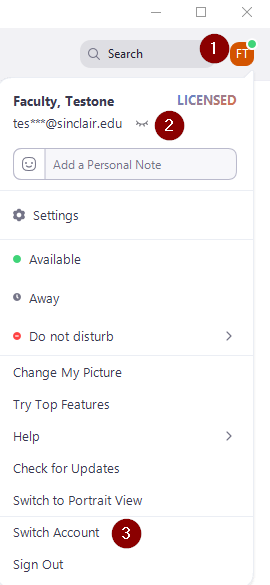
- Once Zoom opens click on your (1) Initials in the upper right corner of the screen, this will allow you to (2) verify the account that you are logged into Zoom with. If this is not the correct account you can (3) Switch Account and log in with the Sinclair account.