Overview:
Network password resets are managed through a self service online site.
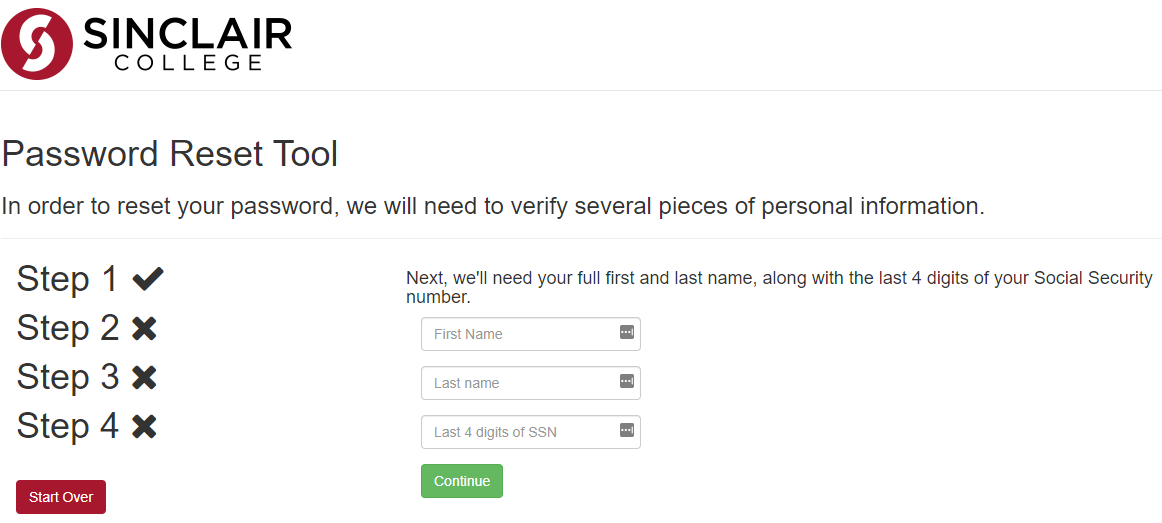
Note: The last four digits of your SSN is required to use the Password Reset Tool. Your information being verified is using information that you provided to the Sinclair Registration.
Your account will be locked after 10 failed login attempts in a 15 minute period. After 15 minutes, your account will automatically be unlocked.
Steps:
- Open a web browser
- Enter the url reset.sinclair.edu
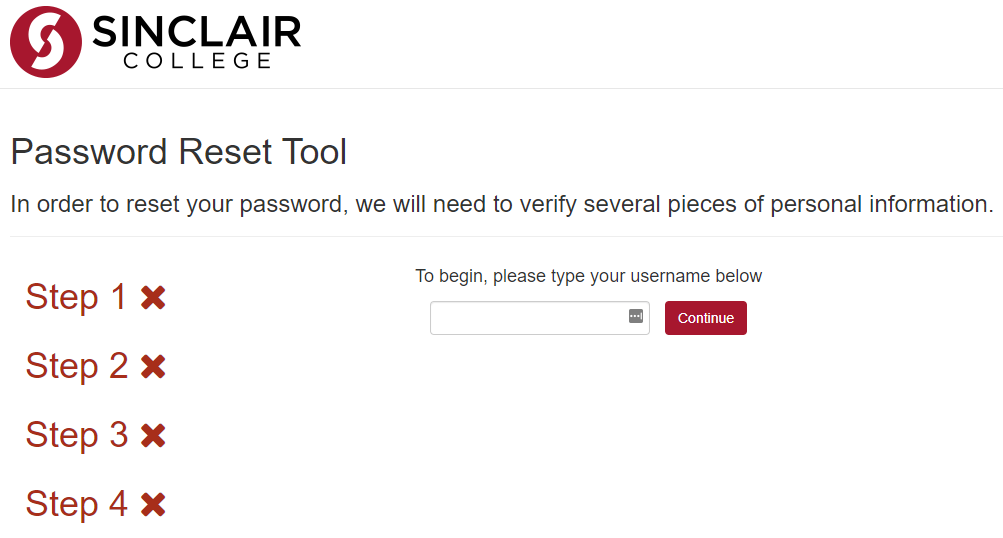
- Enter your username and click Continue
- Enter your first name, last name, and last 4 digits of SSN and click Continue
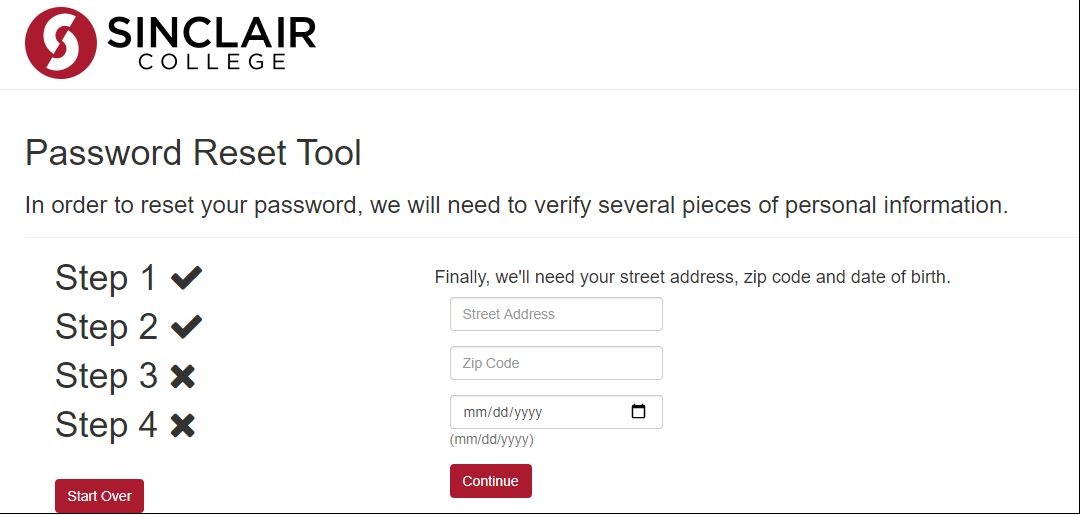
- Enter your street address, zip code, and date of birth and click Continue
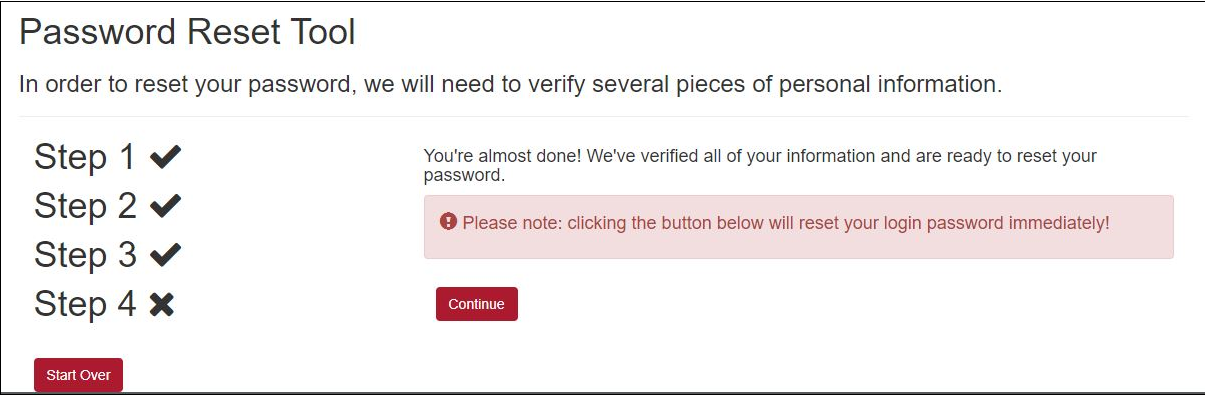
- Click Continue to proceed with resetting your password
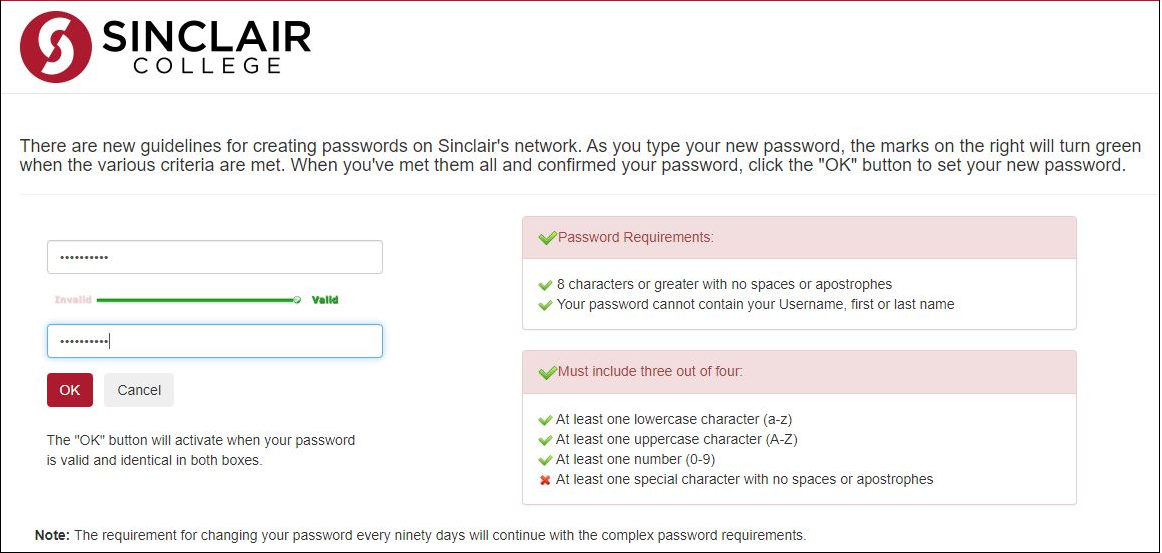
- Enter your new password and confirm the password that you would like to set, refer to Complex Password Requirements for additional password requirement information. Click Ok to continue.
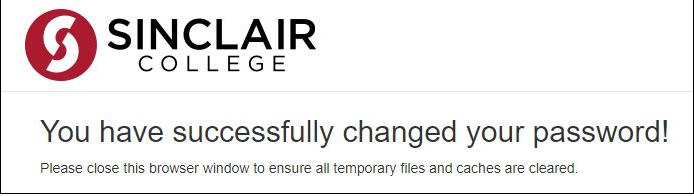
- You will receive a confirmation popup of the successfully changed password
Additional Resources:
- https://it.sinclair.edu/archive-2024/services/student-and-guests-services/account-and-password-information/getting-started-with-your-network-account/
- https://it.sinclair.edu/index.cfm/archive-2024/services/student-and-guests-services/account-and-password-information/complex-password-requirements/complex-password-requirements/