Overview:
Troubleshooting steps for common issues when your monitor will not stay on.
Steps:
See I’m having problems with my monitor for the basic troubleshooting steps
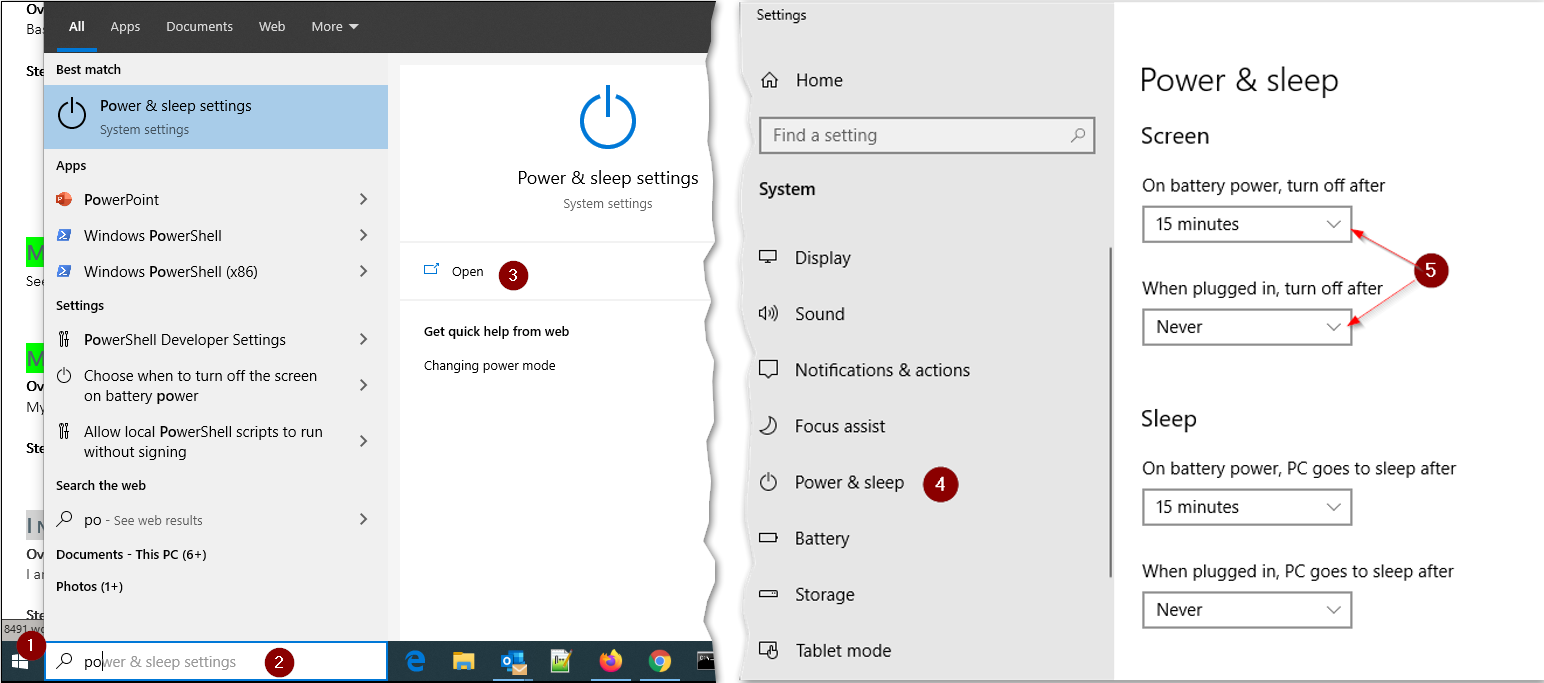
- Check sleep settings on the PC.
- (1) Click on the Windows icon
- (2) Start typing “power….” to bring up the match of Power & Sleep settings
- (3) Click “Open”
- (4) Navigate down to Power & sleep
- (5) Check under the Screen heading the time setting on battery power and when plugged in to see when the “turn off after” is set for